> ## Documentation Index
> Fetch the complete documentation index at: https://support.rallly.co/llms.txt
> Use this file to discover all available pages before exploring further.
# Participant Guide
> How to respond to a Rallly poll
Click the button under each date to toggle through the answers:
1. Yes
2. If need be
3. No
If you leave an option unselected, it will be counted as a **No** vote.
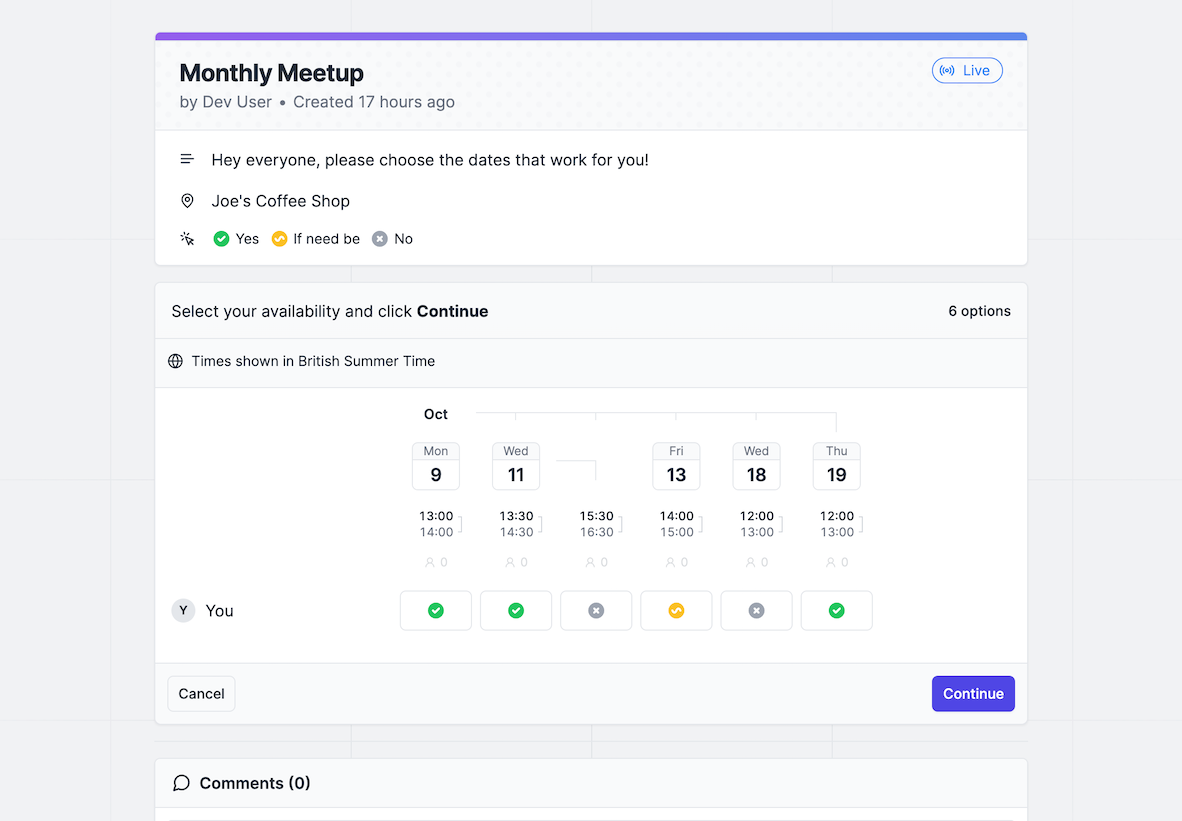 When you're done, click **Continue**.
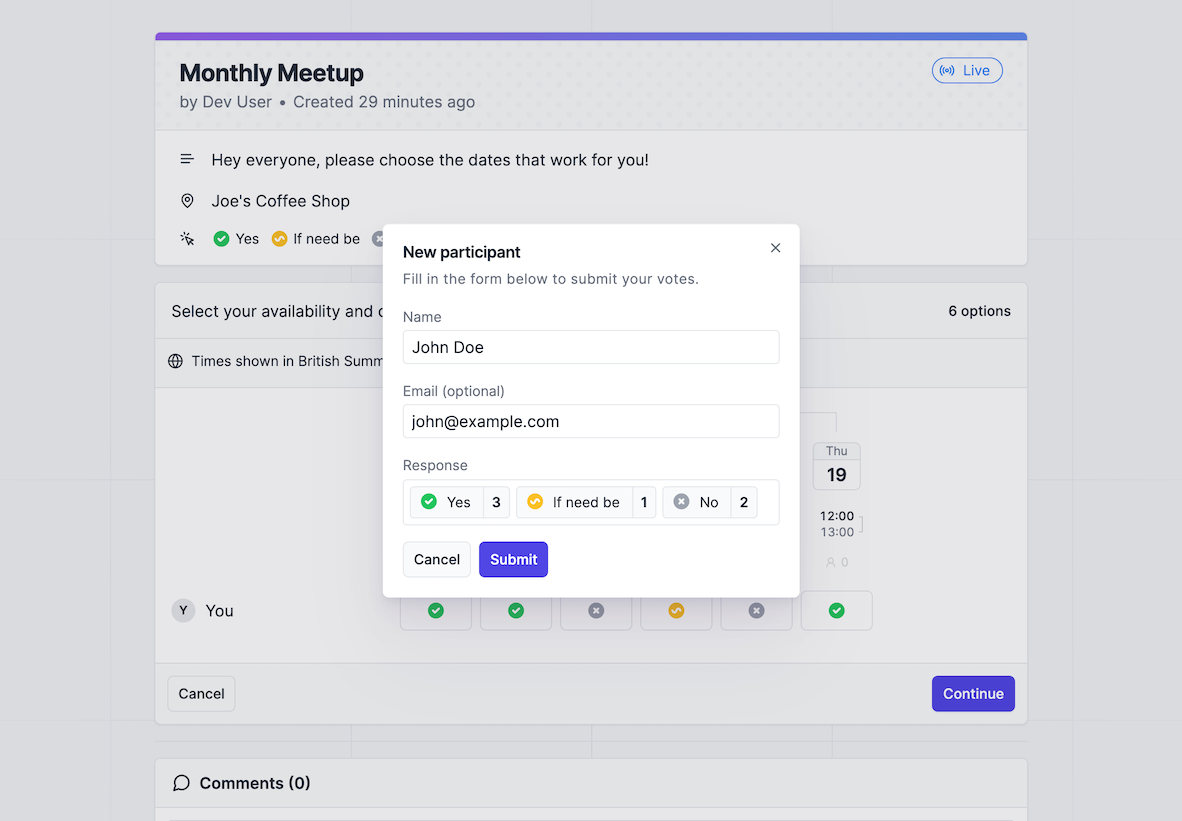
Enter your name and email address, then click **Submit**.
To ensure you don't lose the ability to edit your response, enter your email address to receive a confirmation email with a magic link that identifies you .
When you're done, click **Continue**.
Enter your name and email address, then click **Submit**.
To ensure you don't lose the ability to edit your response, enter your email address to receive a confirmation email with a magic link that identifies you .
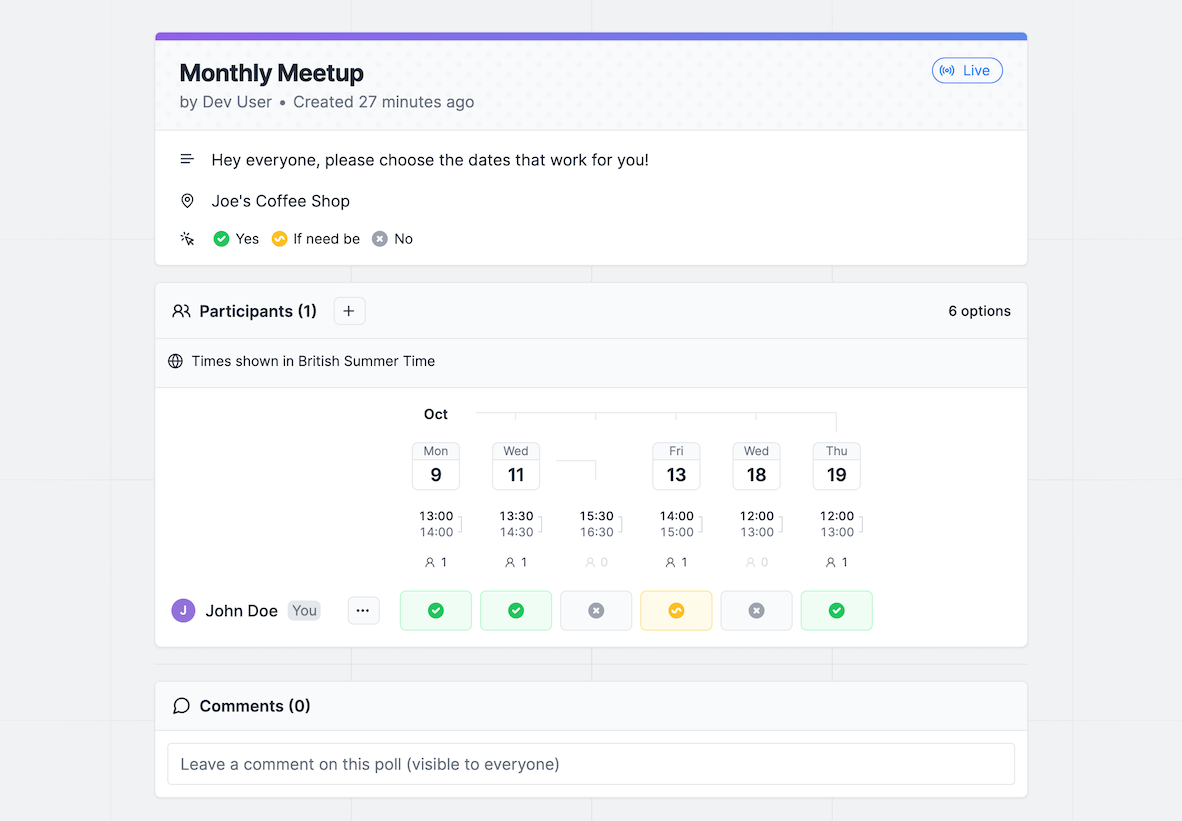
 If you need to make changes, you can use the dropdown menu next to your name.
 ### Frequently Asked Questions
Rallly uses cookies in your browser to recognize you as the creator of a
response. If your cookies have been deleted or you are using a different
device/browser, you may no longer be recognized as the user who created the response.
In this case you should ask the administrator of the poll to either delete your
response so that you can create a new one or to edit your response for you.
If you enter your email address when you submit your response, you will
receive a confirmation email with a link that allows you to edit your response from
anywhere.
### Frequently Asked Questions
Rallly uses cookies in your browser to recognize you as the creator of a
response. If your cookies have been deleted or you are using a different
device/browser, you may no longer be recognized as the user who created the response.
In this case you should ask the administrator of the poll to either delete your
response so that you can create a new one or to edit your response for you.
If you enter your email address when you submit your response, you will
receive a confirmation email with a link that allows you to edit your response from
anywhere.