> ## Documentation Index
> Fetch the complete documentation index at: https://support.rallly.co/llms.txt
> Use this file to discover all available pages before exploring further.
# Collaboration
> Choose whether members of your space work together or independently.
Every space has a collaboration setting that controls what members can see of each other's work.
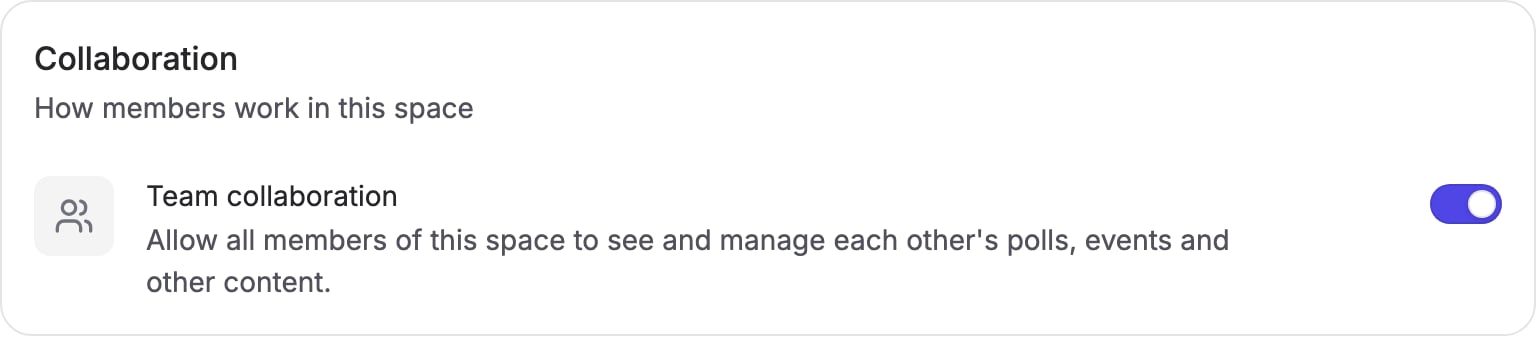
* **Collaboration on** — members work together. Everyone in the space can see and manage everything created in it, including polls and events created before collaboration was turned on.
* **Collaboration off** (the default) — members work independently. Everyone, including admins and the owner, only sees what they create themselves.
This makes spaces useful in two different ways: as a shared workspace for a team that schedules together, or as a way for an organization to give many people Pro access under one subscription while keeping each person's scheduling private.
 ## Turning collaboration on or off
Go to **Settings → General** and find the **Collaboration** section. You
need to be an admin of the space.
Turn the **Team collaboration** switch on or off, then press **Save**.
Turning collaboration on gives members access to everything already in the space, not just things created afterwards.
Collaboration is a Pro feature. You can turn it off at any time, but turning it on requires an active Pro subscription.
## What it affects
Collaboration controls visibility between members inside the space: polls, events, and anything else created in it.
It does not affect sharing with people outside the space. Invite links and participant pages work the same in both modes, so anyone you share a poll with can always vote on it.
## Roles and visibility
Roles grant management capabilities, not visibility:
* **Owner** — manages billing, members, and space settings
* **Admin** — manages members and space settings
* **Member** — creates and manages their own polls and events
Whether anyone can see other members' work is decided only by the collaboration setting, and it applies to every role equally.
## Defaults
New spaces start with collaboration off. Spaces that already had multiple members (or pending invitations) when this setting was introduced have collaboration on, so nothing changed for existing teams.
## Turning collaboration on or off
Go to **Settings → General** and find the **Collaboration** section. You
need to be an admin of the space.
Turn the **Team collaboration** switch on or off, then press **Save**.
Turning collaboration on gives members access to everything already in the space, not just things created afterwards.
Collaboration is a Pro feature. You can turn it off at any time, but turning it on requires an active Pro subscription.
## What it affects
Collaboration controls visibility between members inside the space: polls, events, and anything else created in it.
It does not affect sharing with people outside the space. Invite links and participant pages work the same in both modes, so anyone you share a poll with can always vote on it.
## Roles and visibility
Roles grant management capabilities, not visibility:
* **Owner** — manages billing, members, and space settings
* **Admin** — manages members and space settings
* **Member** — creates and manages their own polls and events
Whether anyone can see other members' work is decided only by the collaboration setting, and it applies to every role equally.
## Defaults
New spaces start with collaboration off. Spaces that already had multiple members (or pending invitations) when this setting was introduced have collaboration on, so nothing changed for existing teams.