> ## Documentation Index
> Fetch the complete documentation index at: https://support.rallly.co/llms.txt
> Use this file to discover all available pages before exploring further.
# Custom Branding
> Apply your brand identity to polls and emails with a custom primary color.
## Overview
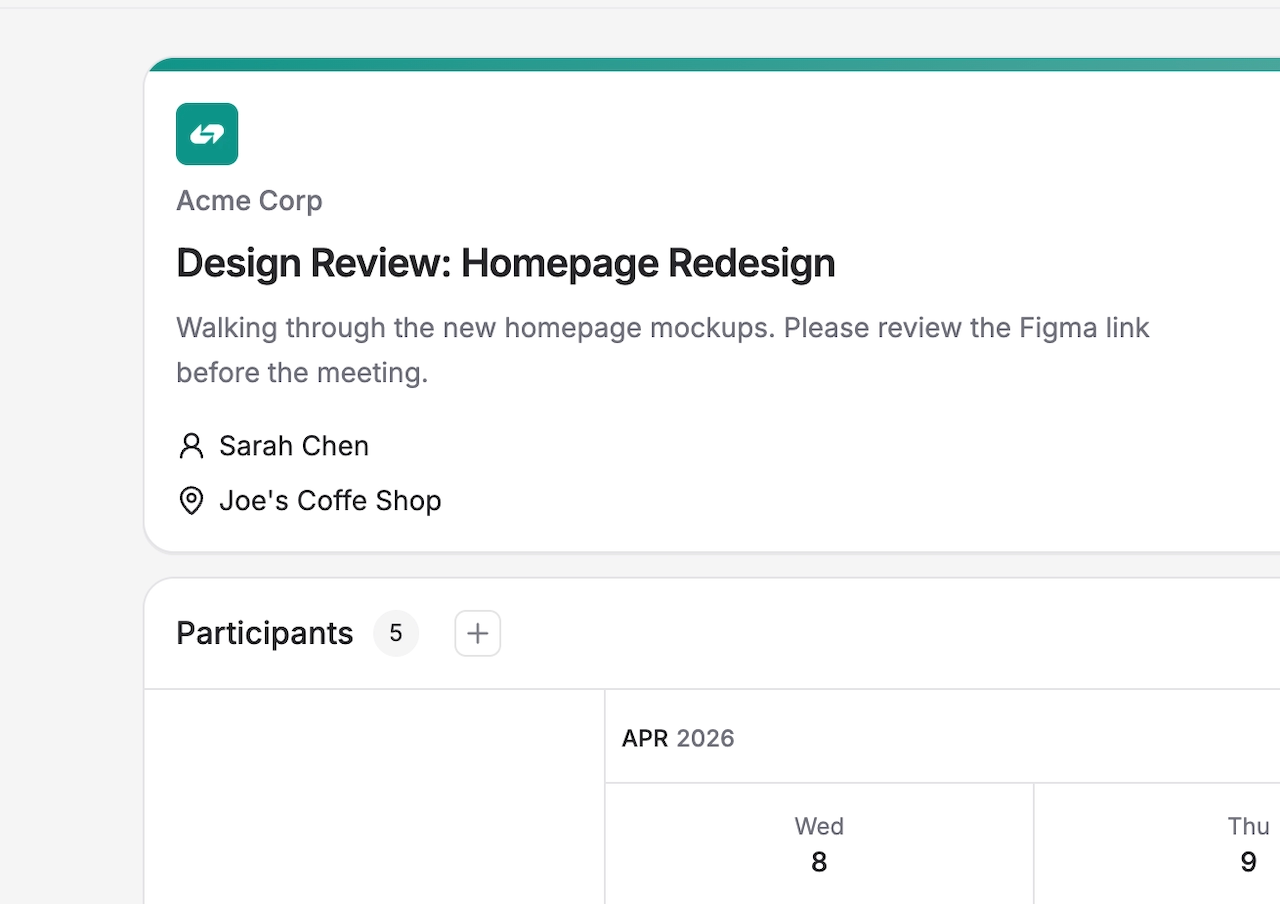
Custom Branding is a Pro feature that lets you replace Rallly's default styling with your own brand identity. When enabled, your chosen primary color is applied to your public poll pages and outgoing emails.
 ## Requirements
* A Pro space subscription
* Space Owner or Admin role
## Enabling Custom Branding
1. Go to **Settings → General** in your space.
2. Under the **Branding** section, toggle on **Enable Custom Branding**.
3. Use the color picker to choose your primary color.
4. Click **Save** to apply the color.
Once enabled, your primary color will be used on all public-facing poll pages and emails sent to participants.
Upload your logo and give your space a custom name.
## Disabling Custom Branding
Toggle off **Enable Custom Branding** in **Settings → General**. Rallly's default styling will be restored immediately.
## Requirements
* A Pro space subscription
* Space Owner or Admin role
## Enabling Custom Branding
1. Go to **Settings → General** in your space.
2. Under the **Branding** section, toggle on **Enable Custom Branding**.
3. Use the color picker to choose your primary color.
4. Click **Save** to apply the color.
Once enabled, your primary color will be used on all public-facing poll pages and emails sent to participants.
Upload your logo and give your space a custom name.
## Disabling Custom Branding
Toggle off **Enable Custom Branding** in **Settings → General**. Rallly's default styling will be restored immediately.