

1
Pick the date
Click Finalize in the poll header. The dates are listed from most to
least popular, with the top three marked. Each row shows how many
participants can make it and a breakdown of their votes. Click a date to
continue.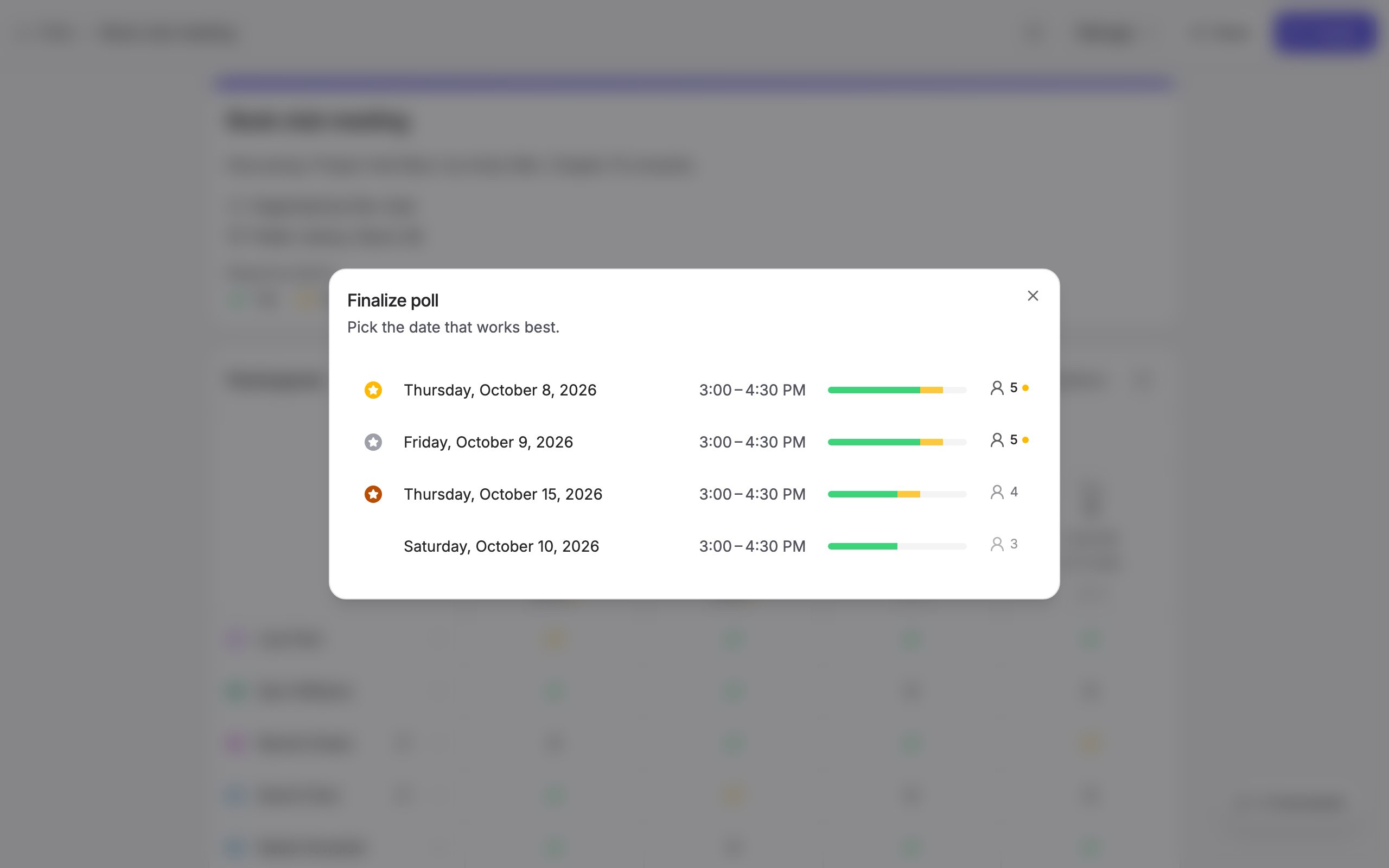
2
Choose who to notify
Everyone who left an email address is selected. Untick anyone you would
rather tell yourself, or use the checkbox in the header to select or clear
everyone at once. Participants without an email address are listed but
cannot be notified.This step is skipped when the poll has no participants yet.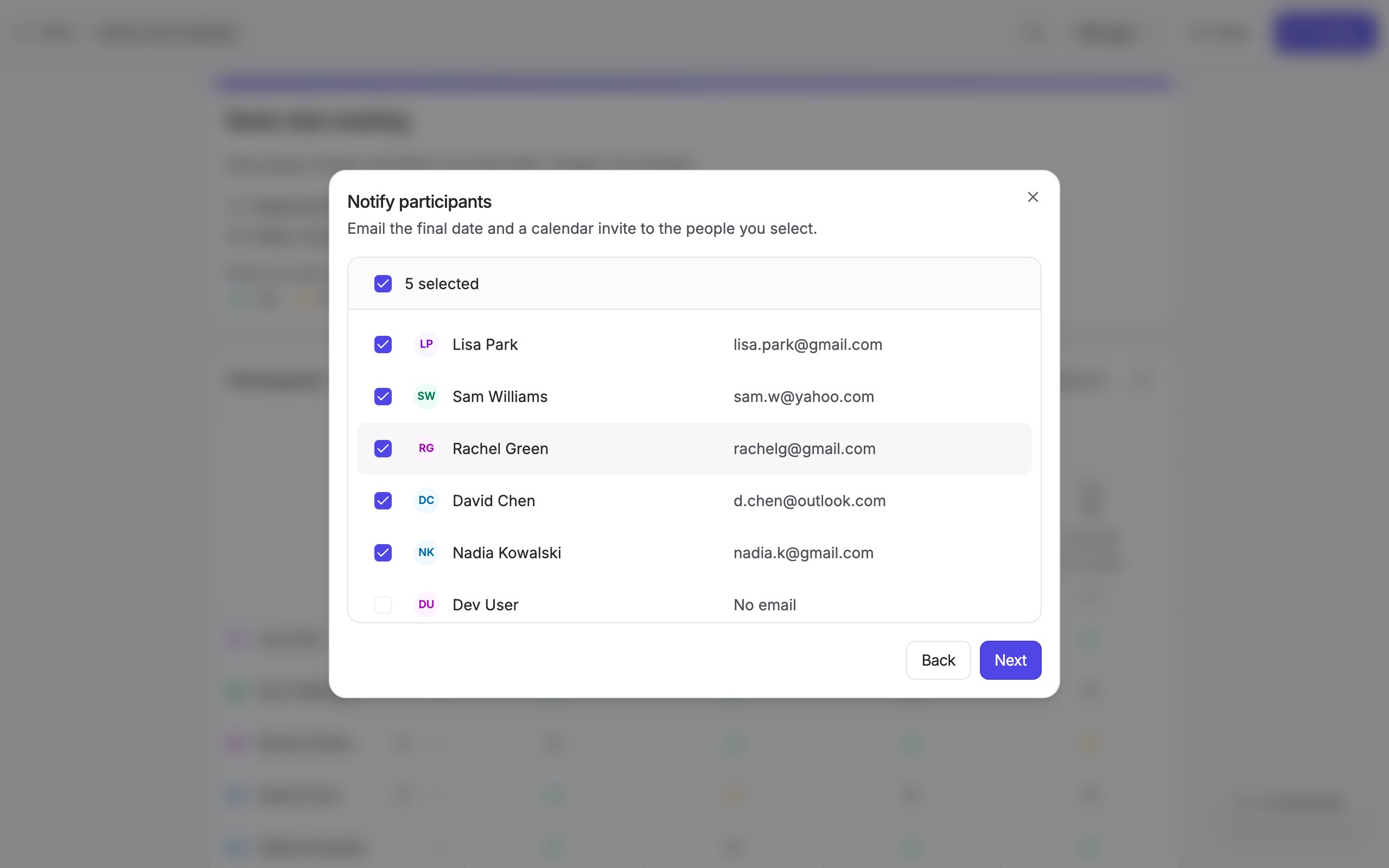
3
Check the summary and finalize
The summary shows the date, the location and the video call the event will
carry. A Zoom, Google Meet, Microsoft Teams or Webex link is created at this
point. Click Finalize.This will: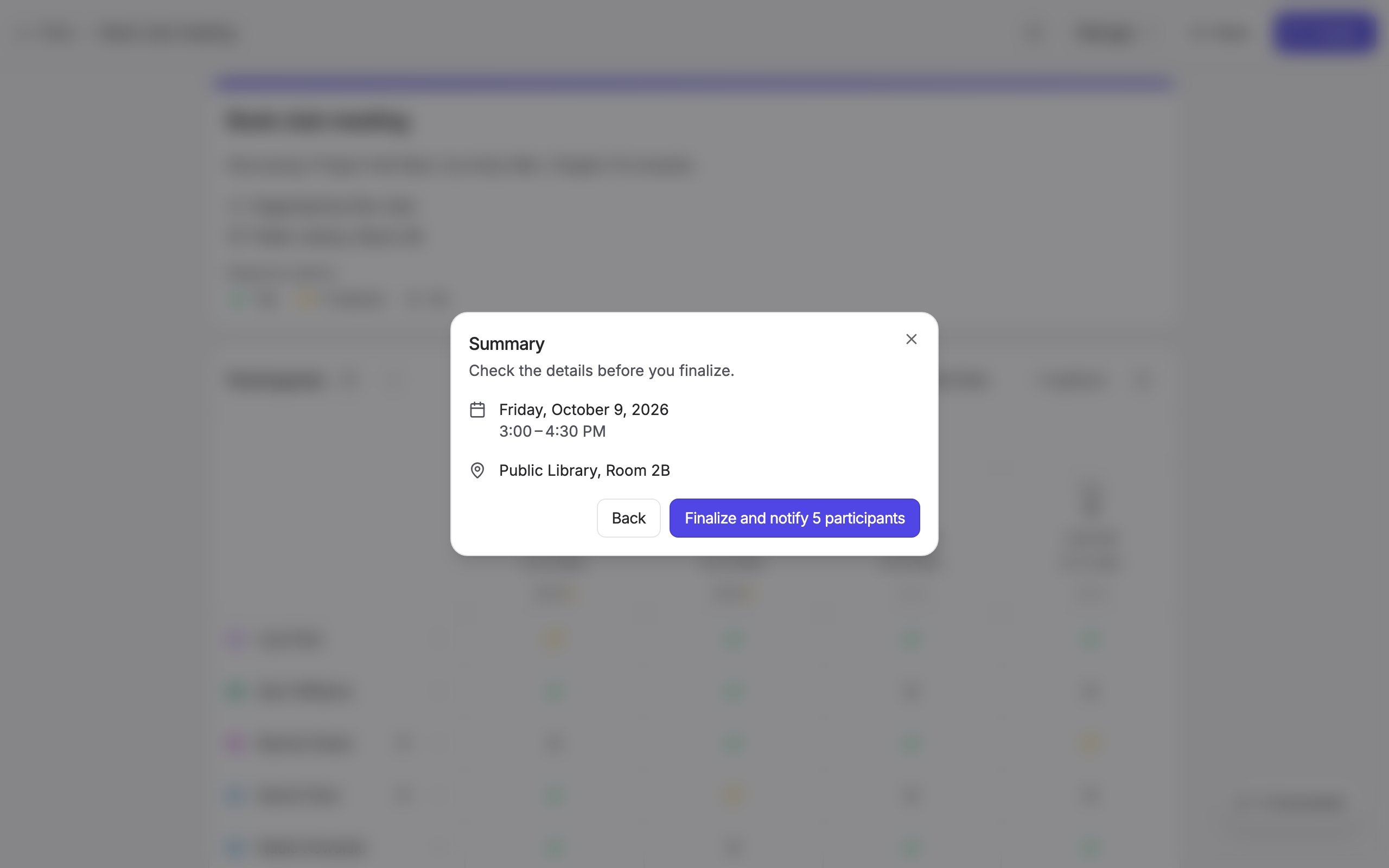
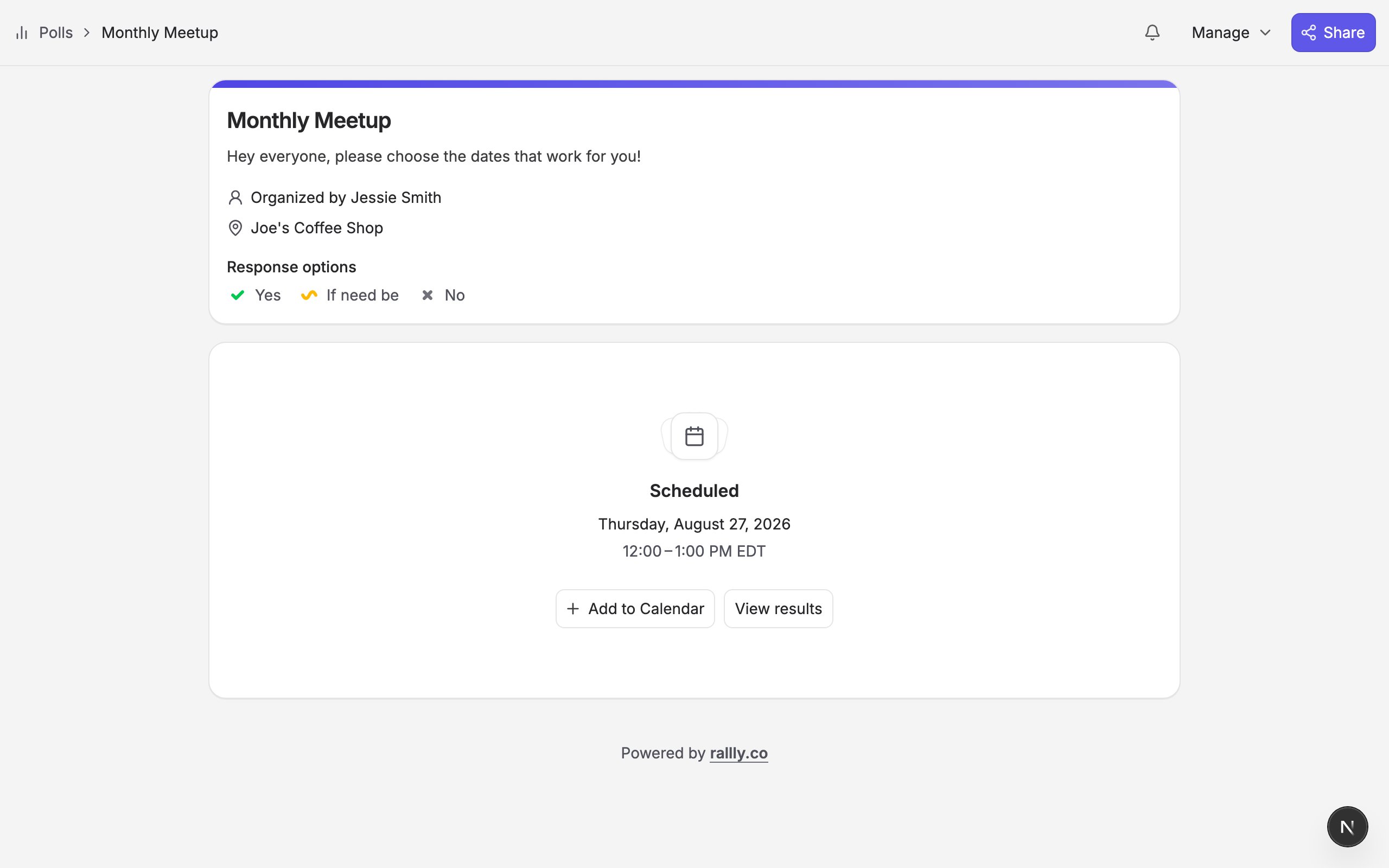
Zoom, Microsoft Teams and Webex links require a Pro subscription
on rallly.co. Google Meet works on every plan.
- Send a calendar invite to you by email.
- Send a calendar invite to the participants you selected. Invites go out in batches, so on a large poll the last ones can take a few minutes.
- Close the poll to new responses.